
Receive the partner file
Identify the partner, reporting period and layout. Keep the original file reference so an imported record can always be traced to its source.
Turn inconsistent partner sales files into traceable secondary-sales intelligence for your multi-brand outlet and shop-in-shop business.
Which partner stores missed targets—and why?
24 seconds · Silent film with on-screen captions · Workflow illustration.
Which partner stores missed targets—and why?
Recognise → Standardise → Validate → Analyse. Partner files + articles + stores + targets
Many partner formats. One useful retail view. Explore the infographic below the film for the full workflow.
Route uncertain mappings and corrections for review. Reporting coverage · stock cover · target attainment
Department-store and shop-in-shop context
Examples of retail channels. Logos identify their respective brands; this display does not imply a Fundle partnership, endorsement or certified integration.
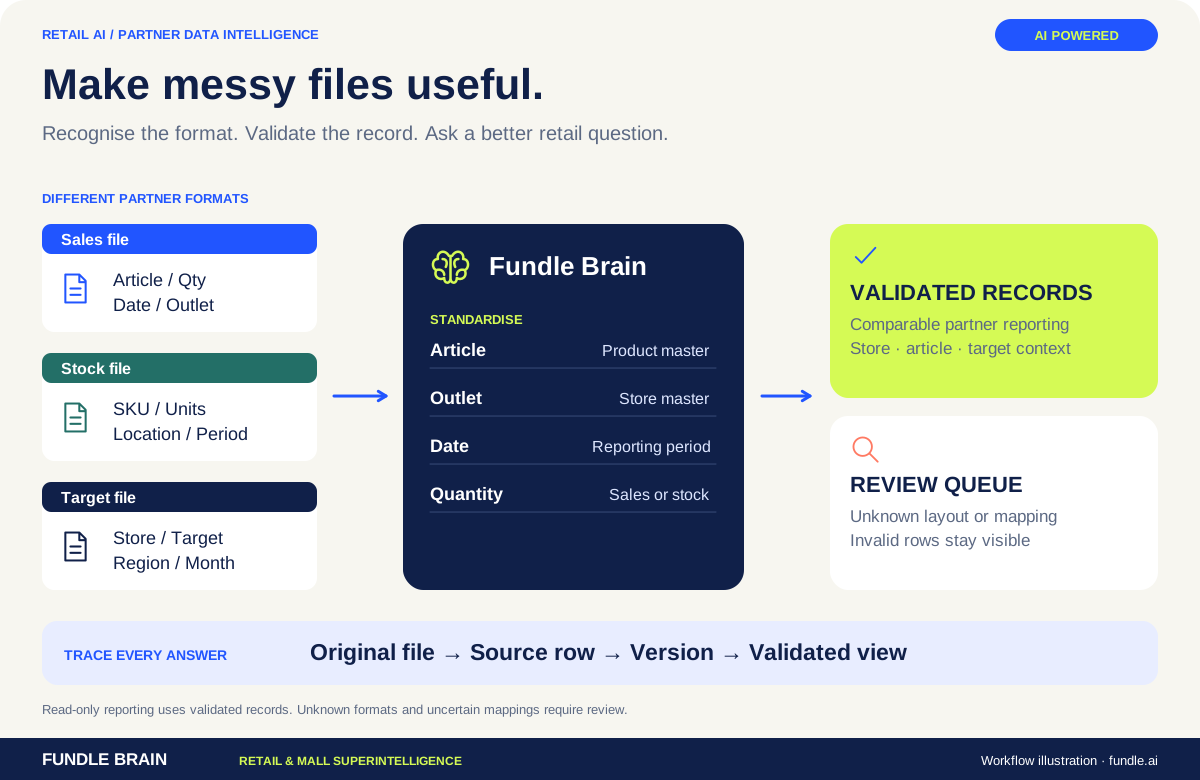
A multi-brand outlet or shop-in-shop network rarely sends one clean reporting format. Fundle’s MBO workflow uses defined recognition and validation rules to standardise partner files, preserve their origin and build a consistent secondary-sales view.
Recognise known layouts and map sales and stock columns to a common structure. Retain partner-specific identifiers alongside standard article and store masters.
Flag unknown mappings, invalid rows and uncertain records for review. Keep accepted and unresolved data distinct so a reporting total does not conceal ingestion problems.
Analyse partner, region, store, category and article performance. Bring targets, stock cover and margin context into the comparison where those inputs are available.
The documented conversational reporting approach works over validated records. Source rows, versions and correction history remain the basis for checking answers and authorised adjustments.
Start with the question. Define the data and workflow needed to answer it.
Partner sales and stock files, store hierarchy, SKU masters, targets, commercial schemes and reporting periods.
Validated secondary-sales views, exception queues, stock-cover analysis and conversational answers.
Read file acceptance, record completeness and unresolved exceptions alongside target attainment, sell-through and stock cover. Distinguish an operational data gap from a commercial performance gap.
Corrections follow deterministic validation and a review process. Conversational analysis works over reporting data; financial changes require explicit authorised action.
The layout needs to be recognised and mapped before its records enter the standard reporting view. Unknown or ambiguous fields should be reviewed rather than silently guessed.
The reporting approach preserves source-row and version context. Validate material answers against the selected period, store set and underlying records; the assistant is not a financial correction engine.
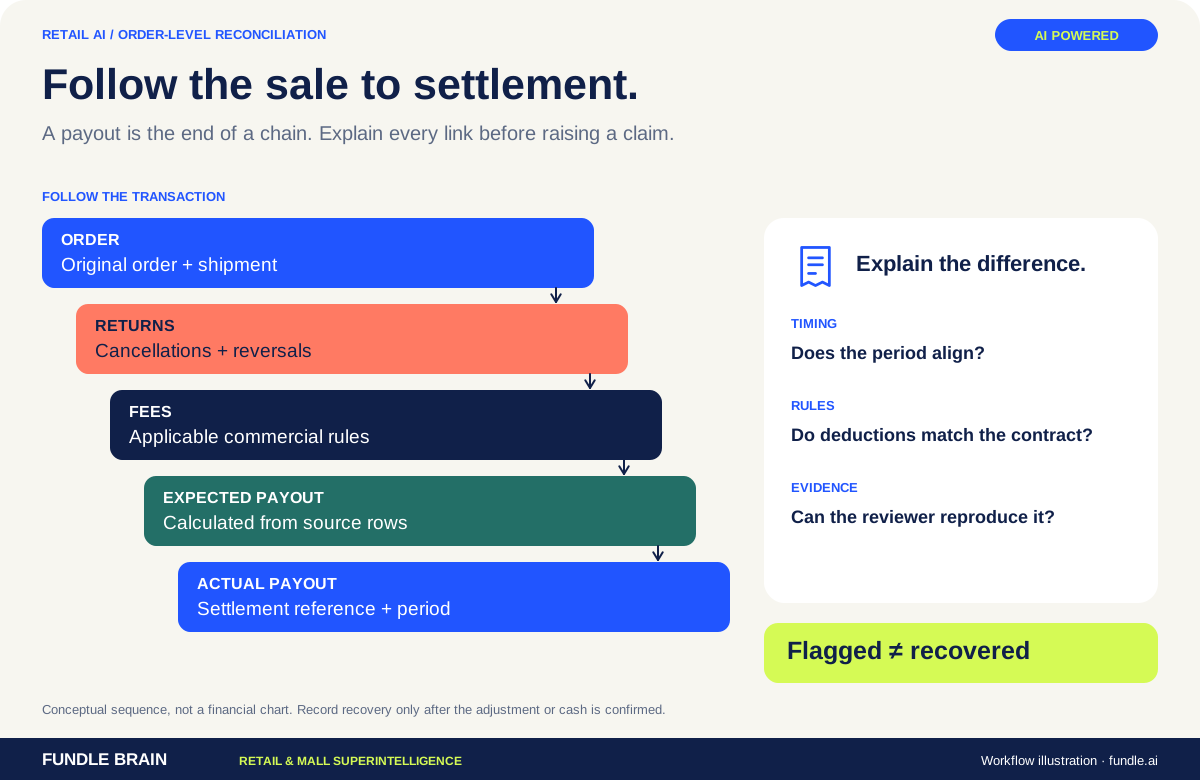
Connect order, return, commission and settlement records so your team can investigate the difference with evidence.
Explore the platform ↗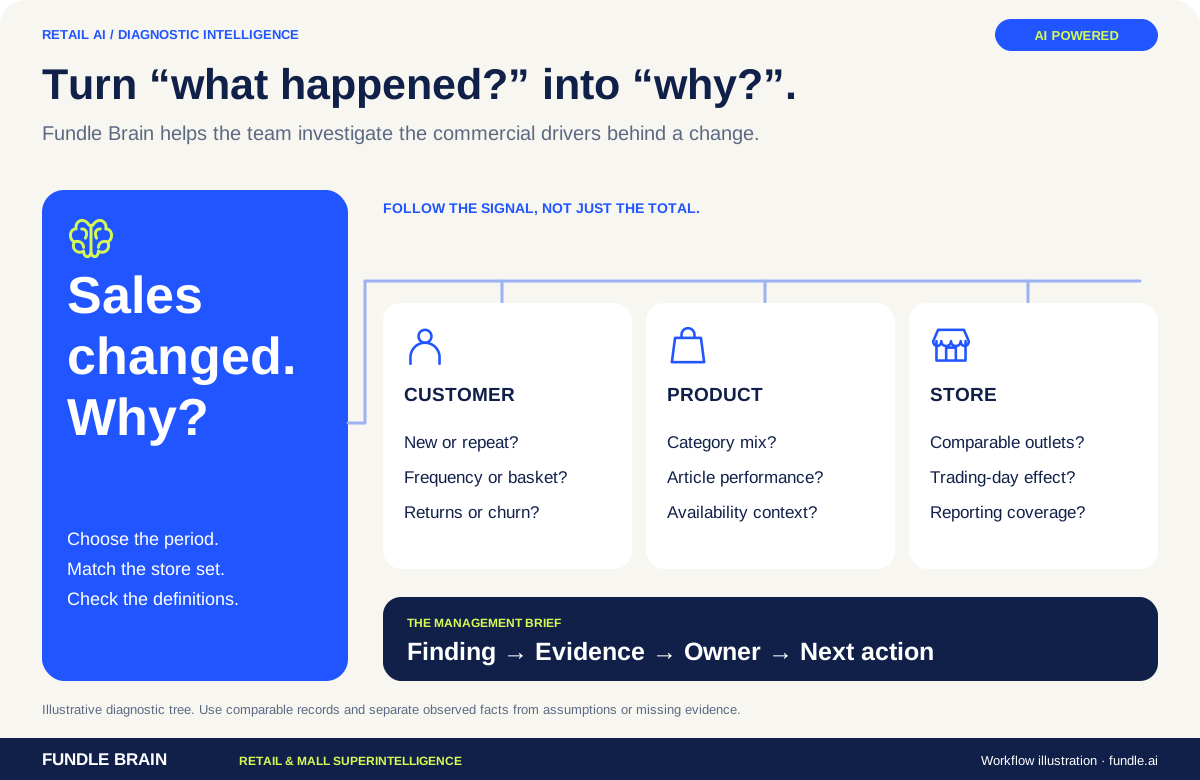
Explore sales, customer behaviour and store performance in business language, with the data context behind each answer.
Explore the platform ↗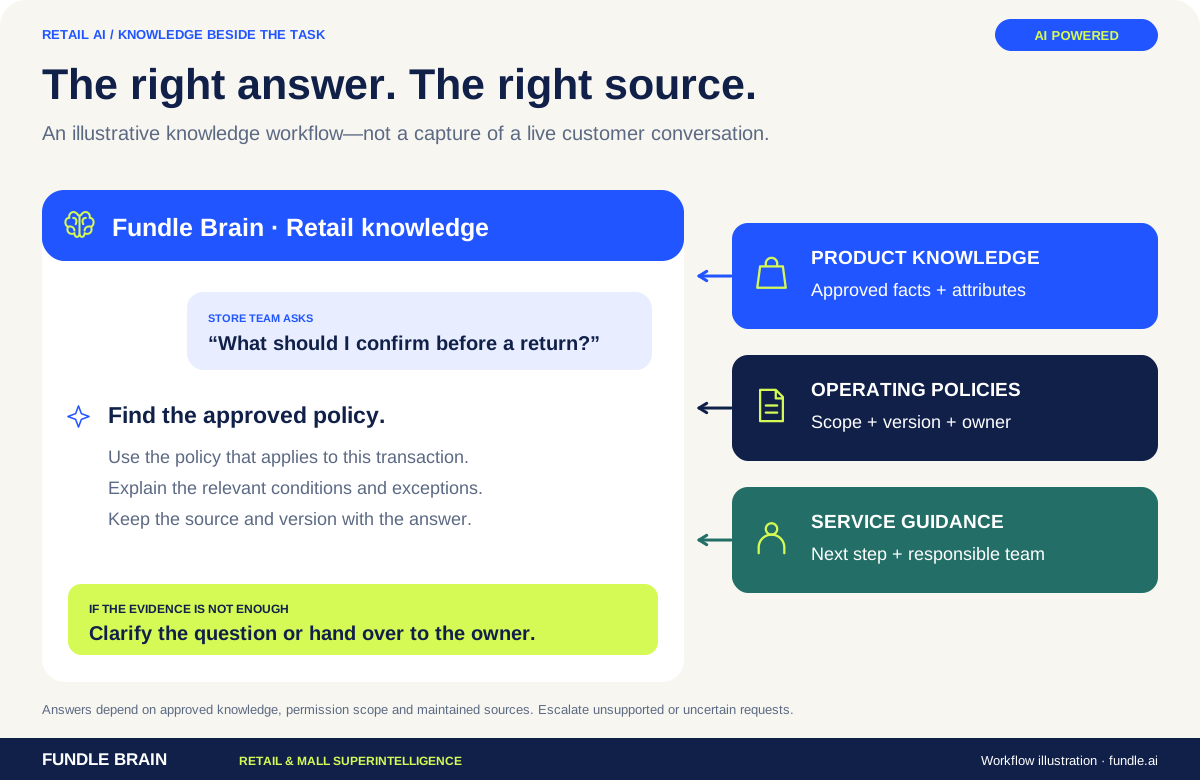
Connect approved product, customer and operating knowledge to the questions customers and store teams need answered.
Explore the platform ↗Bring us one business problem. We’ll map the data, the workflow and the next useful action.
Abhinav · Fundle.ai
Loyalty & ADSR Expert · Online