
Receive the partner file
Identify the partner, reporting period and layout. Keep the original file reference so an imported record can always be traced to its source.
Follow a practical business question through the evidence, decision, handover and learning. This story explains a workflow; it does not claim a customer result.

24 seconds · Silent film with on-screen captions · Workflow illustration.
Which partner stores missed targets—and why?
Recognise → Standardise → Validate → Analyse. Partner files + articles + stores + targets
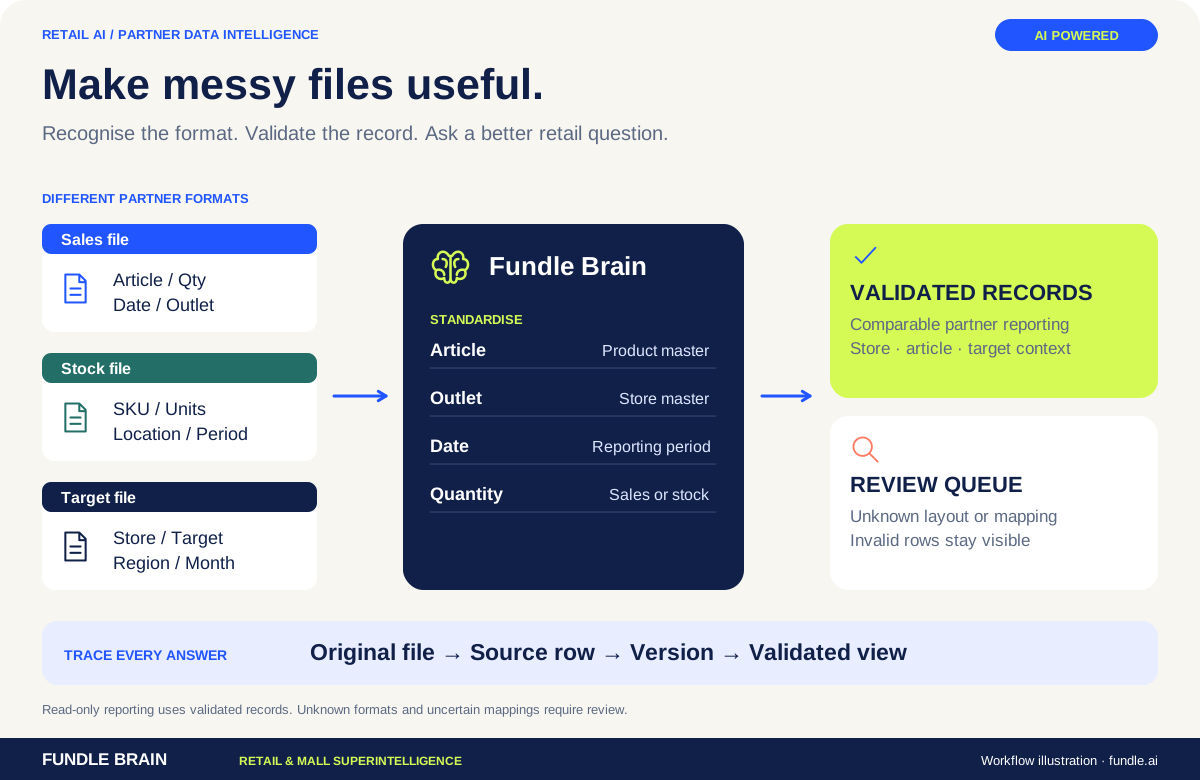
Many partner formats. One useful retail view. Explore the infographic below the film for the full workflow.
Route uncertain mappings and corrections for review. Reporting coverage · stock cover · target attainment
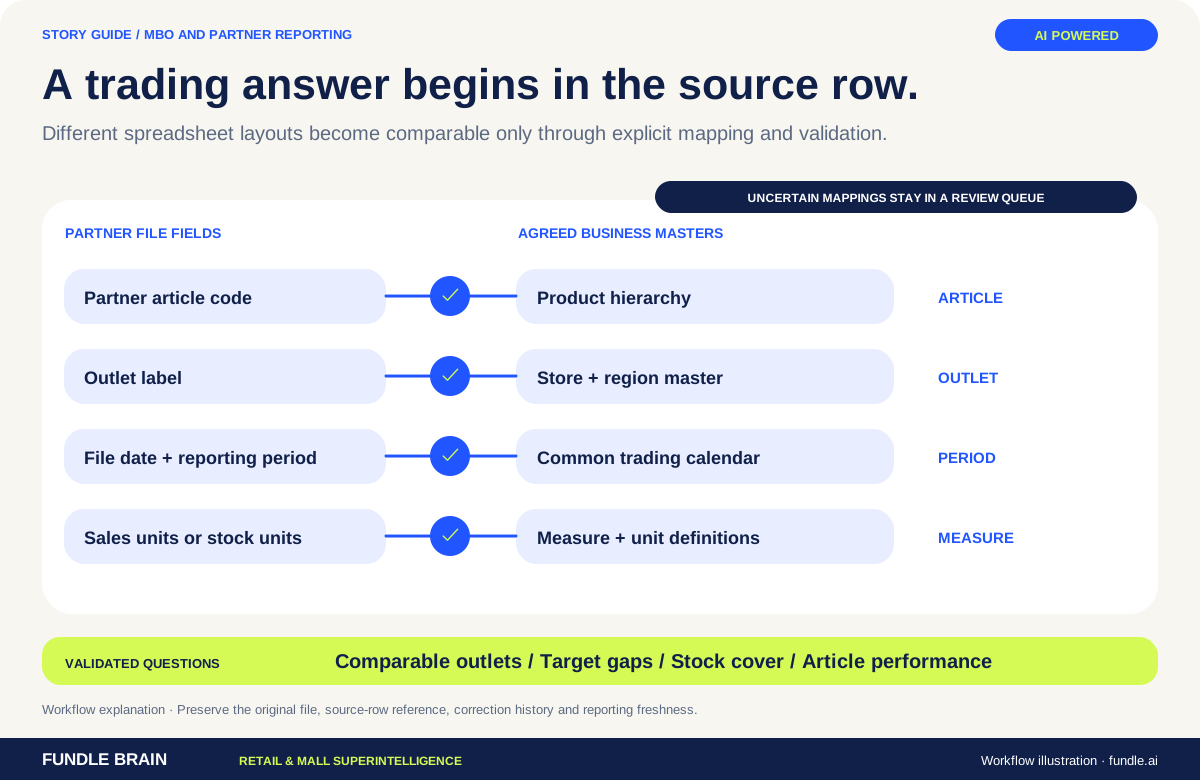
Partner layouts and commercial masters meet through explicit mapping, validation and traceable reporting questions.
Partner sales arrive in different file structures and at different times. A consolidated total can hide incomplete periods or unmapped articles.
Recognise the source, validate the rows and standardise the agreed hierarchy. Route uncertain mappings for human review rather than inferring a financial answer.
Provide comparable partner and outlet views with source references. Let the business owner investigate stock cover, target gaps and article performance.
Record mapping decisions and revised files. Keep reporting freshness visible so a later comparison does not confuse a delayed feed with weaker trading.
Partner sales and stock files, store hierarchy, SKU masters, targets, commercial schemes and reporting periods.
Validated secondary-sales views, exception queues, stock-cover analysis and conversational answers.
Explore the full platform ↗Which partner stores missed targets—and why?
Bring a business question. Let’s connect the people, the data and the workflow.
Abhinav · Fundle.ai
Loyalty & ADSR Expert · Online